Connect a start / stop logging switch with indicator
Step 1
Purchase a start / stop logging switch with indicator from Race Technology.
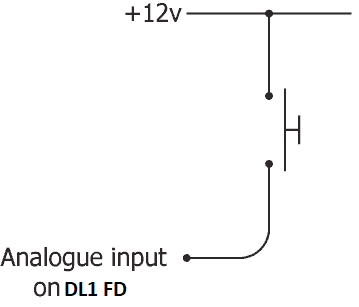
The "start/stop" button gives the driver the option of starting/stopping logging manually. Unlike the sensors that may be connected to the DL1 FD, the start/stop button has four connecting wires, and needs to be connected differently.
Step 2
Connect the wires on the start/stop button to the DL1 FD connectors according to the pinouts below. Please use the pin assignment table in your DL1 FD manual to identify the correct wires on the DL1 FD connectors.
- Red should be connected to 12v
- Green should be connected to 12V
- Blue should be connected to A12 (analogue 12)
- Yellow should be connected to A8 (analogue 8)
Step 3
The DL1 FD will need to be configured to use Analogue 8 as the trigger input, and to use Analogue 12 as the status output. For instructions on how to do that see here:
Once the button is properly connected, test that it is working. A red LED should light up in the buttons' centre to show when the unit is logging.
 My basket |
Checkout |
Add to email list
My basket |
Checkout |
Add to email list




 Edit
Edit History
 Print
Print Download (.HTML)
 PDF
PDF