DTA T-Series ECU
Compatibility
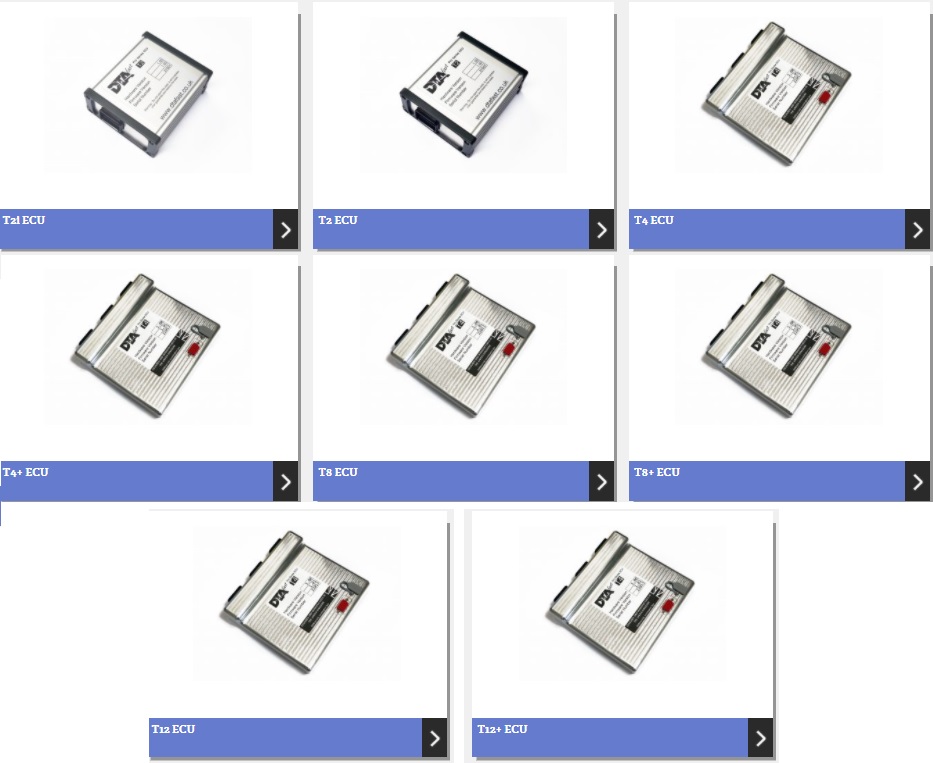
- DTA T2i (Ignition)
- DTA T2
- DTA T4
- DTA T4+
- DTA T8
- DTA T8+
- DTA T12
- DTA T12+
Configuration
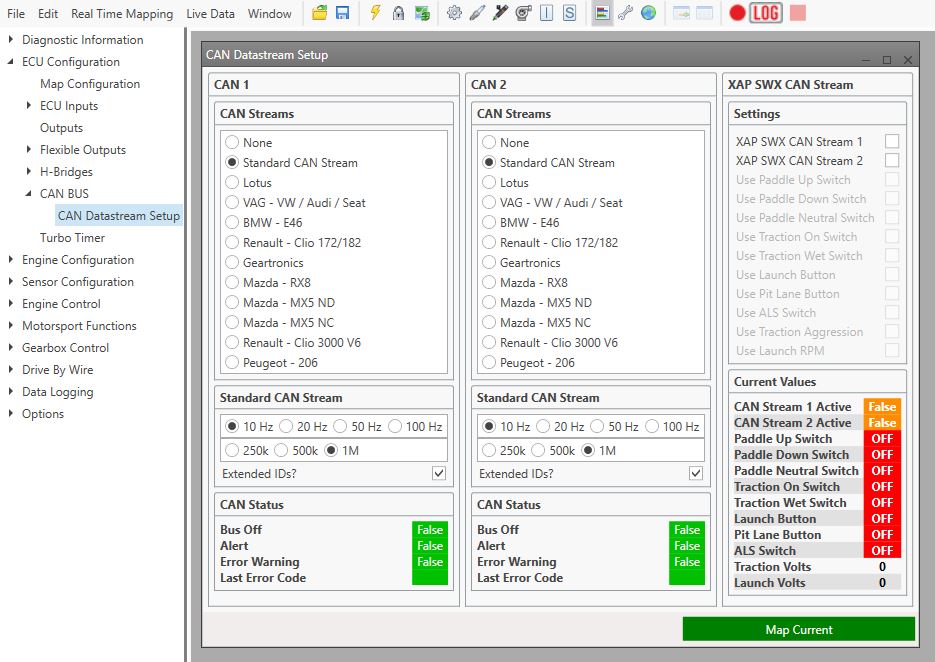
To set up the ECU, open the DTA T-Series software DTA T-WIN and connect to the ECU (Lightening icon). In the left hand column, open ECU Configuration > CAN BUS > CAN Datastream Setup, set up the CAN data stream as below. Send the new map settings to the ECU File > Update ECU . Remember to save a back-up copy of your ECU map for fault diagnosis if required.
Connections
These ECU should be connected via CAN connections:
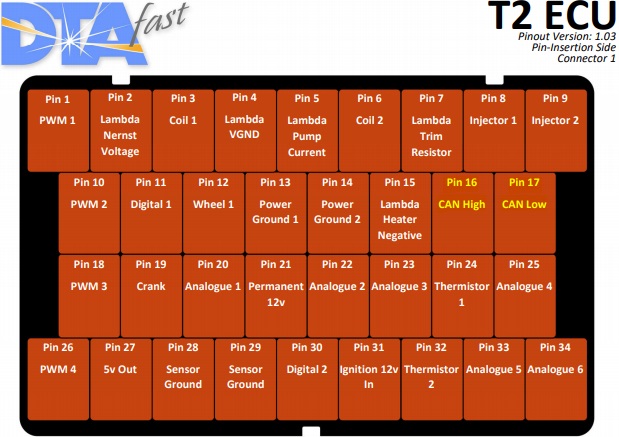
T2 (ignition) / T2 – CAN connections are located on the below highlighted pins (Single CAN bus), connector 1:
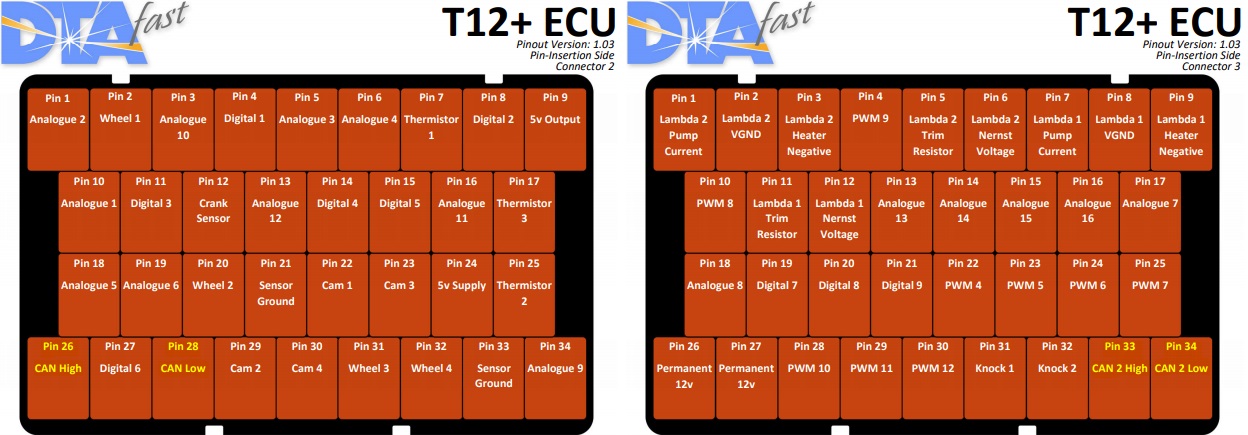
T4 / T8 / T12 / T4+ / T8+ / T12 – CAN connections are located on the below highlighted pins (Dual CAN bus), connectors 2 & 3:
Data Channel Listing:
| ECU Message Name
| Race Technology Data Channel
| Resolution of Data
|
| RPM
| RPM (Engine RPM)
| 1 RPM
|
| TPS%
| Throttle position (aux 1)
| 1%
|
| Water temp
| Coolant temp (temperature 8)
| 1oC
|
| Air temp
| Ambient air temp (temperature 1)
| 1oC
|
| MAP
| Boost pressure (pressure 5)
| 0.1 kPa
|
| Lambda
| Lambda 1 (misc 1)
| 0.001 lambda
|
| Vehicle speed
| Speed from the ECU (misc 4)
| 1 MPH
|
| Oil pressure
| Oil pressure (pressure 2)
| 0.1 kPa
|
| Fuel pressure
| Fuel pressure (pressure 3)
| 0.1 kPa
|
| Oil temp
| Oil temp (temperature 9)
| 1oC
|
| Battery volts
| Battery voltage (misc 3)
| 0.1V
|
| Ignition angle
| Ignition angle (angle 2)
| 0.1o
|
| Injection time
| Fuel inj 1 PW on (measured time 1)
| 0.01s
|
| Fuel con
| Auxiliary 1 (aux 26)
| 0.1 L/100Km
|
| Gear position
| Auxiliary 3 (aux 28)
| 1
|
Not all channels listed in the table above may be available from your ECU. The available data channels vary with the vehicle model, year of manufacture & connected sensors.
 My basket |
Checkout |
Add to email list
My basket |
Checkout |
Add to email list




 Edit
Edit History
 Print
Print Download (.HTML)
 PDF
PDF